
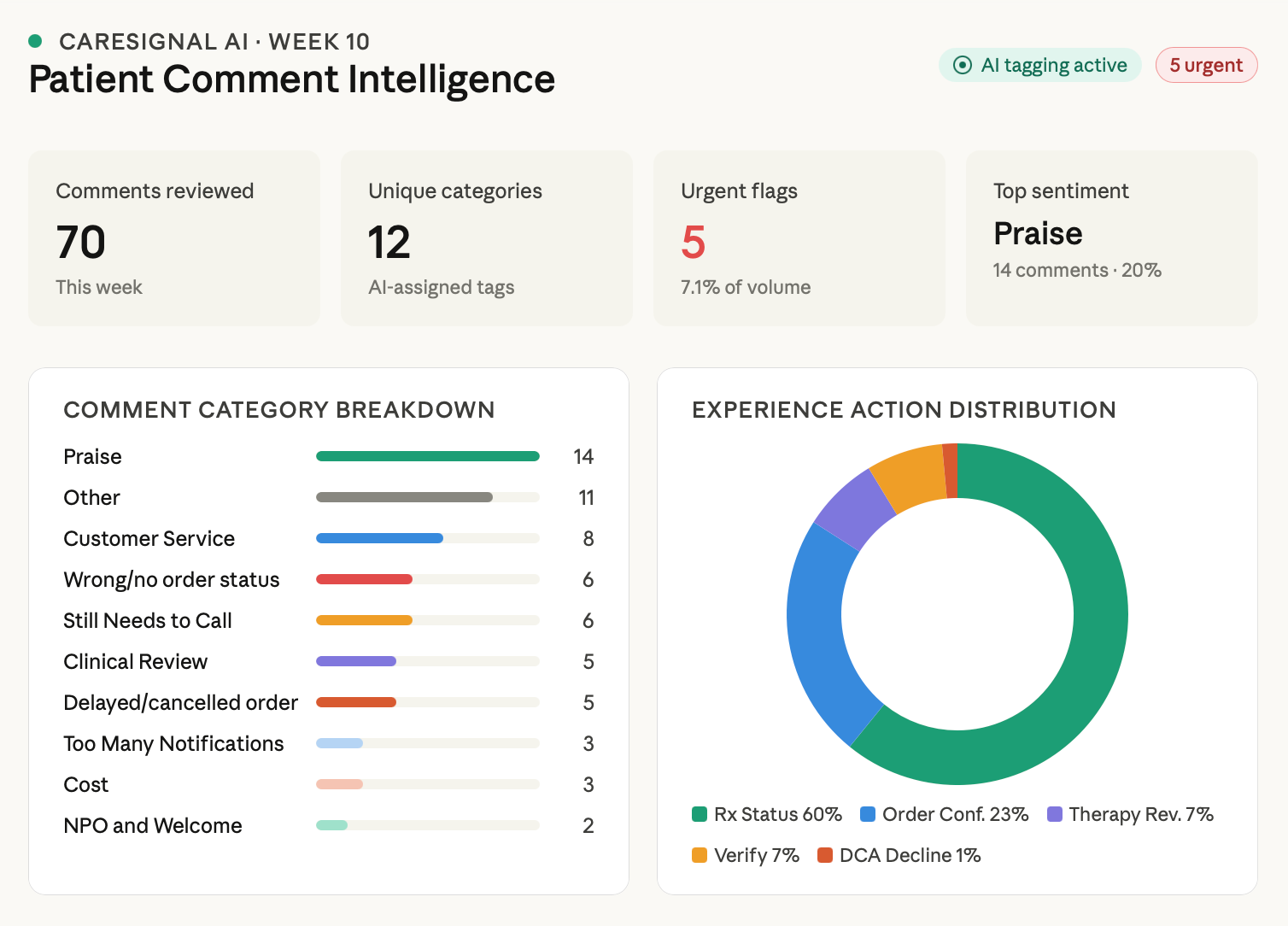
I designed and refined an AI model that categorizes customer feedback with 95% accuracy and flags urgent issues. This cut down the manual workload by 90% and allows the digital strategy team to focus on analysis and implementation, rather than rote feedback sorting.
CONTEXT
Before: An analyst manually goes through customer feedback for the online drug ordering experience and sorts it into various buckets by theme. Then, the analyst flags any urgent comments, organizes all items into themes, and sends them to the relevant teams: product, UX, operations, or engineering. This was tedious, takes lots of time, and inefficient.
GOAL
Cut out the tedious grunt work. Leverage AI to see more trends and level up the analysis work.
SCOPE
Timeline: 5 months and ongoing
My role: AI Architect
Team: 1 UX designer (me), 2 ML engineers
My role: AI Architect
Team: 1 UX designer (me), 2 ML engineers
THE THOUGHT PROCESS
The customer feedback loop provides some of the best tools UX has for improving the drug ordering experience. As a result, someone on the team has to manually go through all the comments each month and sort them into themes to try to find trends. These comments are added to the design backlog or sent to operations, product, engineering, etc. if it's not an UX solve.
When I'm the one sorting through the comments, I was leveraging Co-pilot to help with the analysis but it wasn't accurate enough. After learning other parts of the organization were leveraging AI in embedded ways, I reached out to the team and they took on this project.
DEFINING THE FRAMEWORK
1. Training data
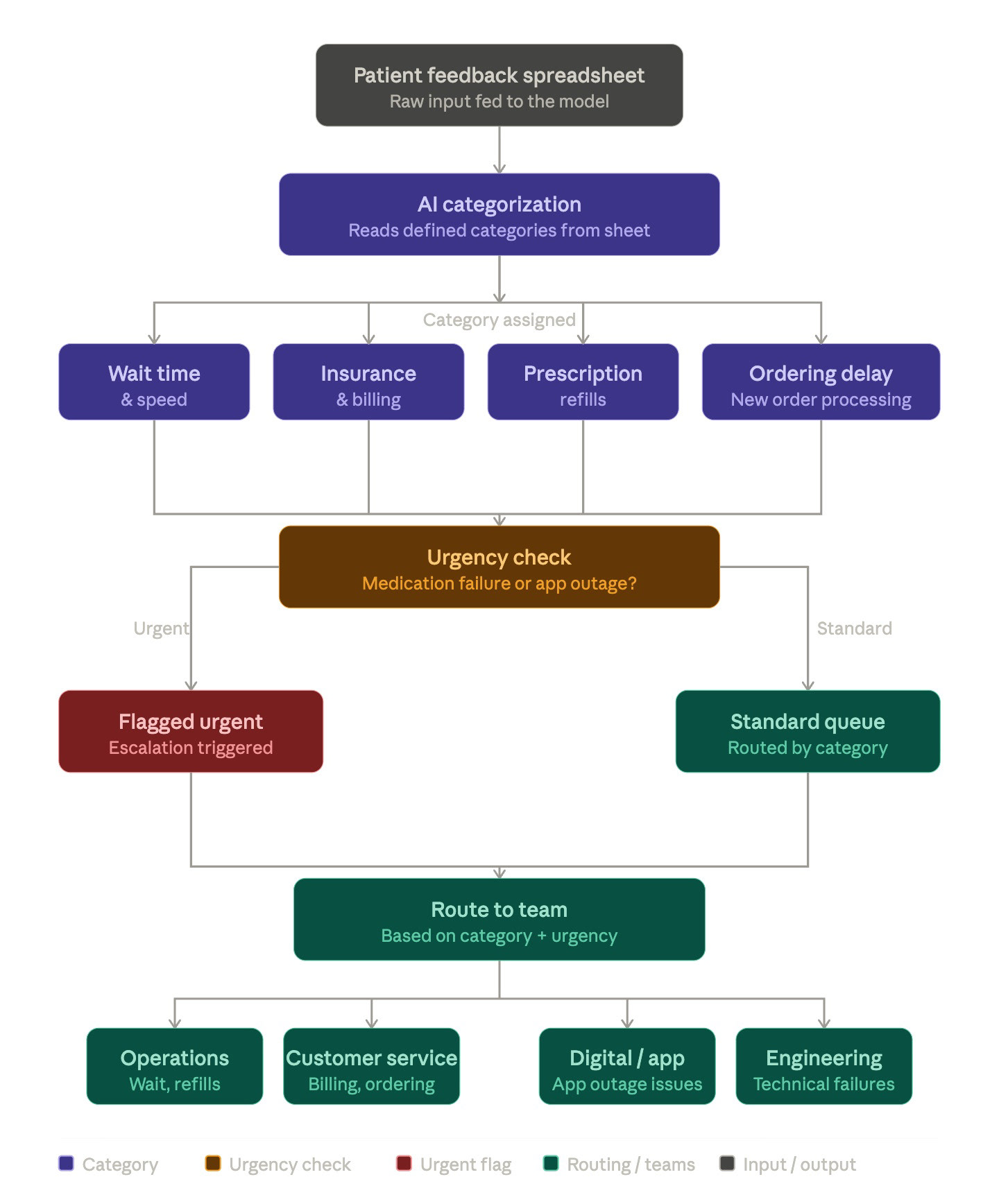
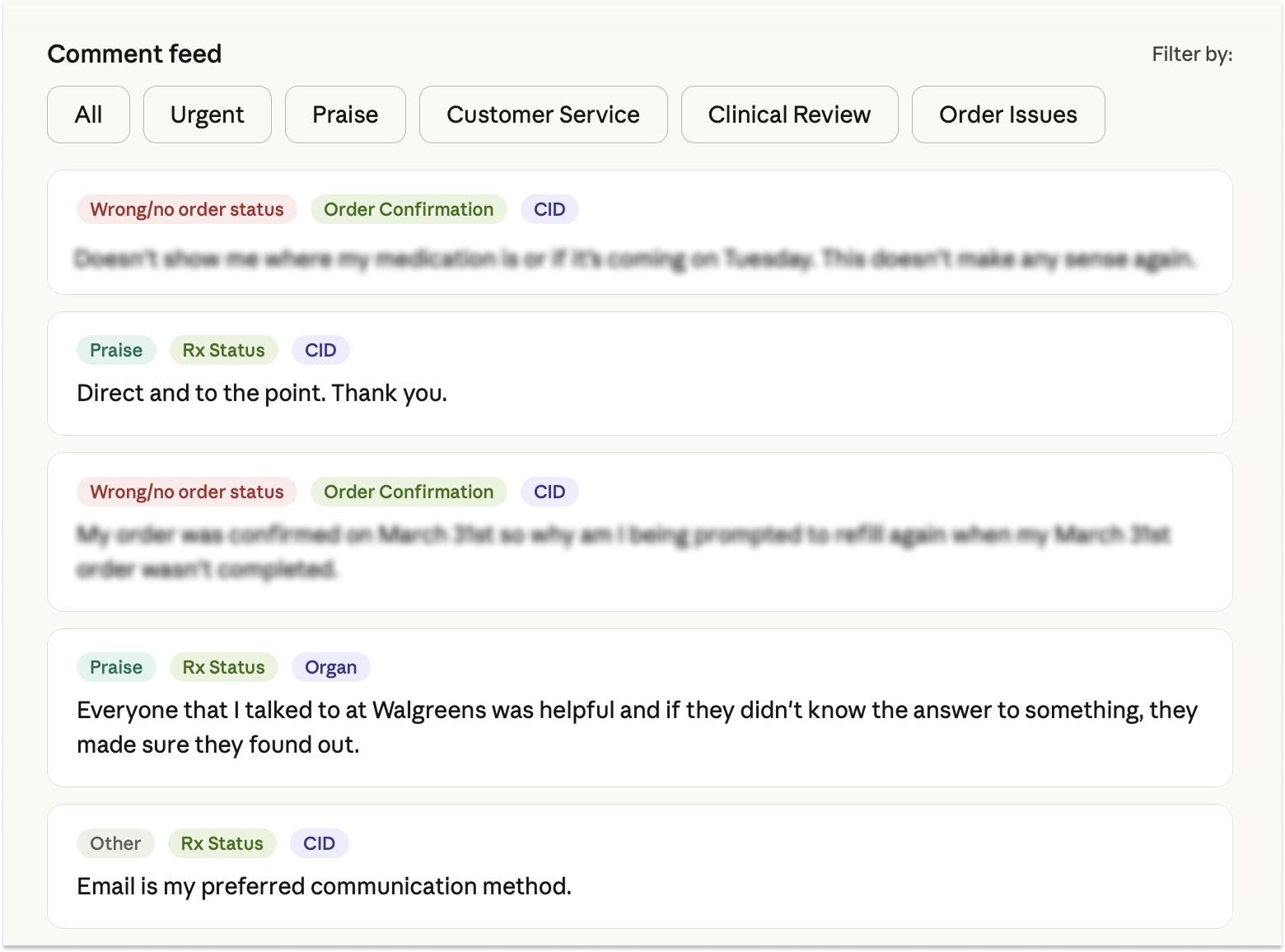
I provided the existing manually sorted comments as a basis for the model. I listed 10 pre-defined categories but also provided freedom for the model to create new categories. I wanted to try to train the model to flag urgent issues as well and it's been surprisingly effective after a few iterations.
I provided the existing manually sorted comments as a basis for the model. I listed 10 pre-defined categories but also provided freedom for the model to create new categories. I wanted to try to train the model to flag urgent issues as well and it's been surprisingly effective after a few iterations.
2. Refinement
Each week for 8 weeks, I manually reviewed the model's categorization, highlighted comments that were wrongly sorted, and refined the themes to make it easier and clearer for the algorithm to sort. I passed this back to my engineering partner who added this training data to the model.
Each week for 8 weeks, I manually reviewed the model's categorization, highlighted comments that were wrongly sorted, and refined the themes to make it easier and clearer for the algorithm to sort. I passed this back to my engineering partner who added this training data to the model.
3. Deployment
I set a 90% accuracy threshold as when the model can deploy. The next step is for the model to sort comments based on which team they should go to and automatically send a summary to those teams. This part is still in process.
I set a 90% accuracy threshold as when the model can deploy. The next step is for the model to sort comments based on which team they should go to and automatically send a summary to those teams. This part is still in process.
4. Future iterations
I wanted to get this out fast and take an agile approach. In the future, I'm hoping to be able to track trends, use this as an archive log for issues, and to generate reports for leadership, not just the particular teams.
I wanted to get this out fast and take an agile approach. In the future, I'm hoping to be able to track trends, use this as an archive log for issues, and to generate reports for leadership, not just the particular teams.
TAKEAWAYS
1. Not all AI models were created equally. Coding the model in Python + leveraging an ML framework vs using Co-pilot made all the difference.
2. As UX designers lean more into AI, we are all becoming managers. I essentially had to define and train the AI, make decisions on the direction, and consider the long-term as well as the short-term goals.